
FROM THE CURRENT FOREVER BETA
A closer look at Wisp.
Eight in-game captures of Wisp 0.22.0-beta.1, taken on 22 September 2026. Select an image to open the full-resolution screenshot.
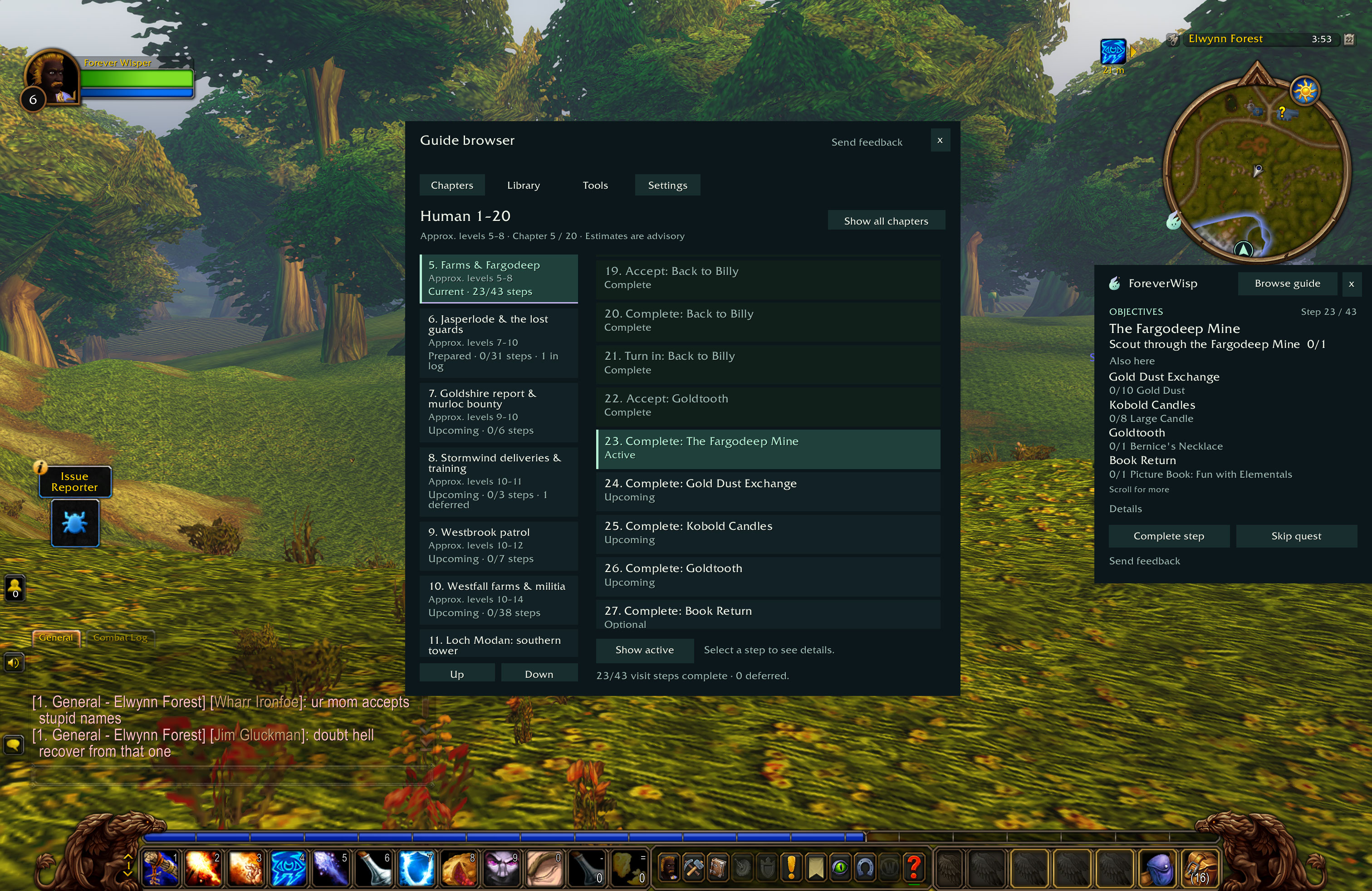
01
See the route ahead
Browse chapters and see which quests are complete, active or coming up. Here, the Human route is on Farms & Fargodeep.
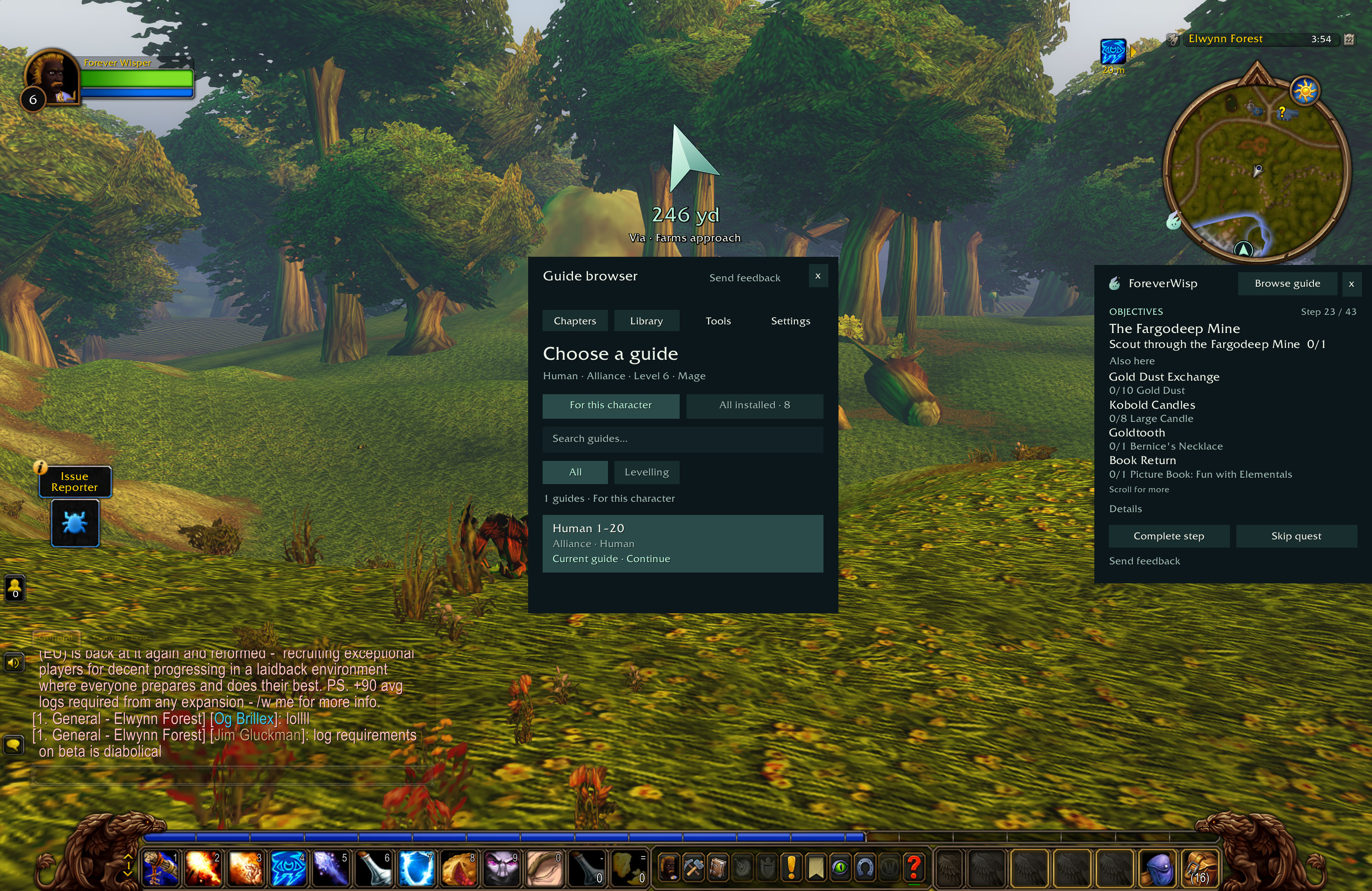
02
Find your character’s guide
The library filters the installed routes for your character. This Human Mage has the Human 1–20 guide selected.
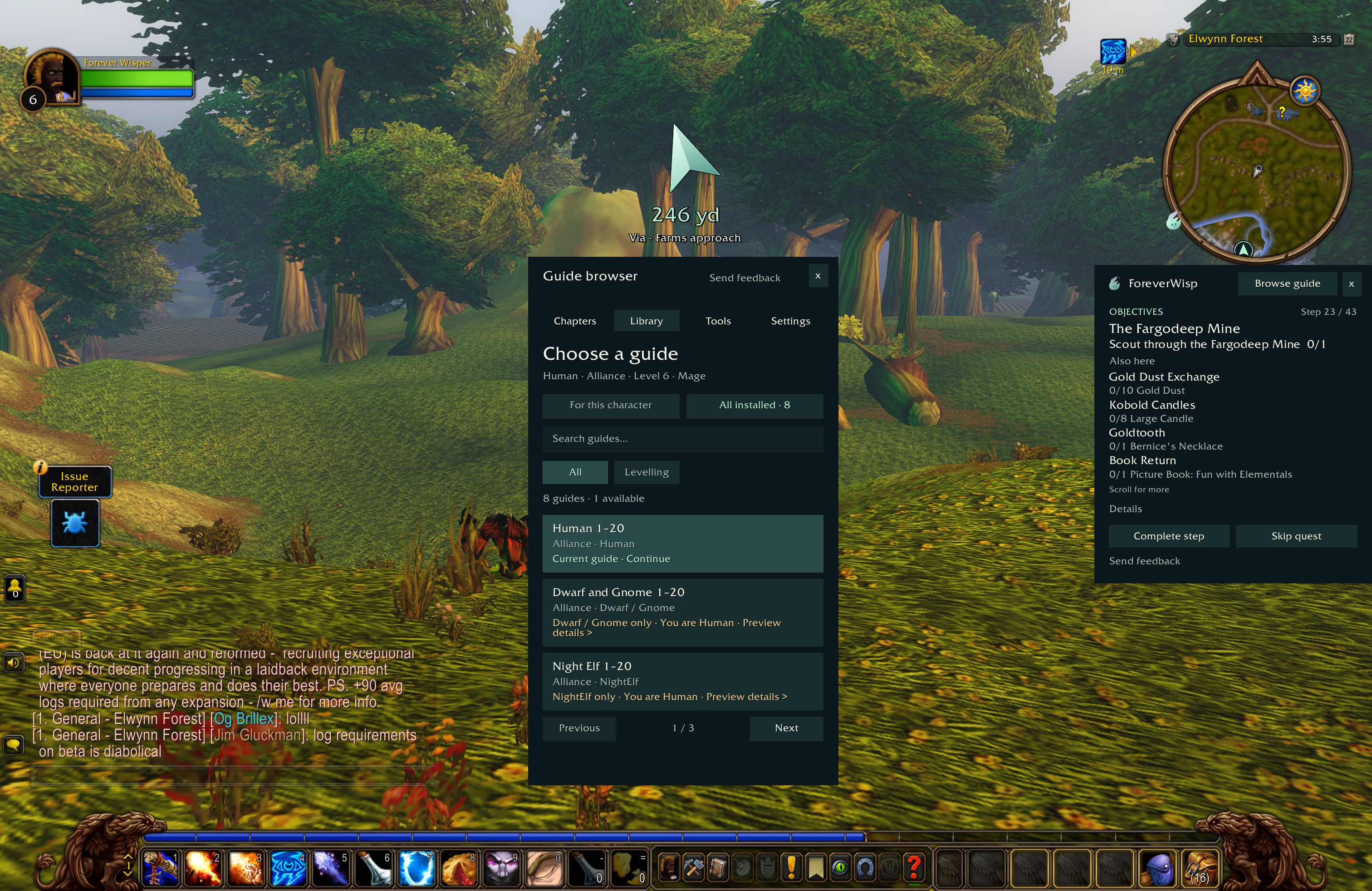
03
Browse the other starting areas
All eight guides come in the same download. The library explains when a route belongs to another race or faction.
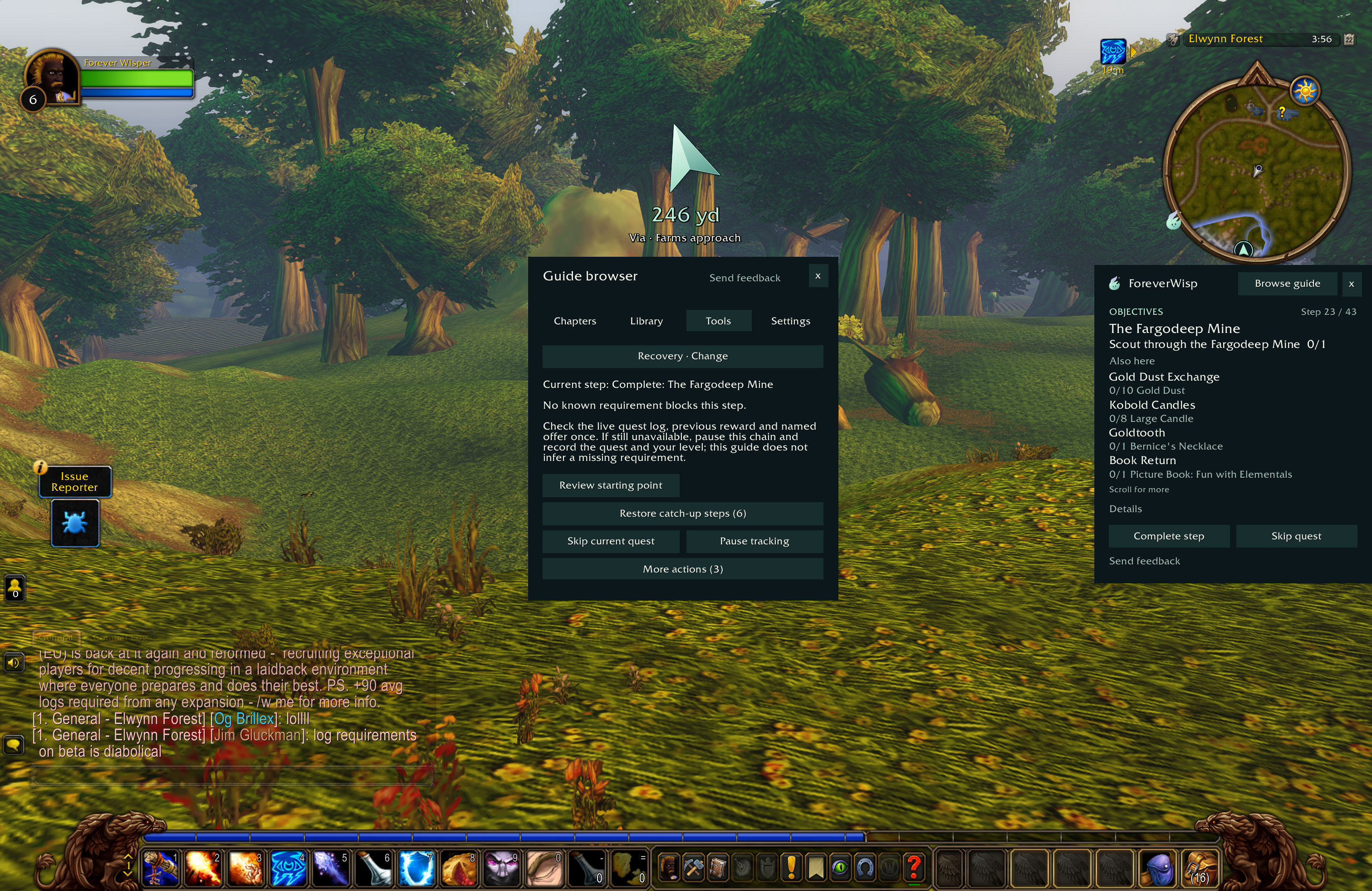
04
Adjust where you’re starting
Review your starting point, restore deferred quests or pause tracking from the recovery tools.
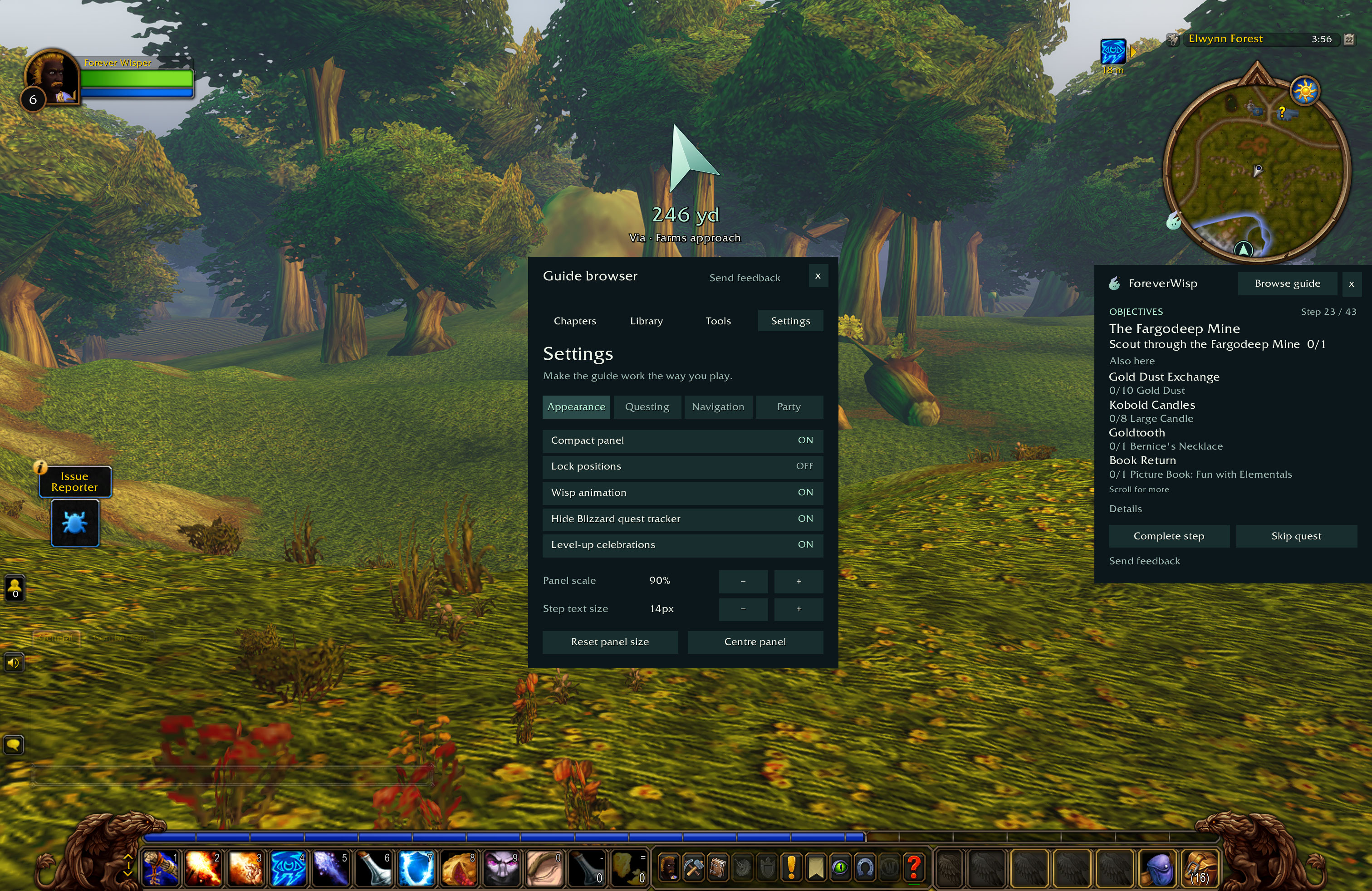
05
Make room on your screen
Choose compact mode, adjust the panel scale and text size, or lock the panel where you want it.
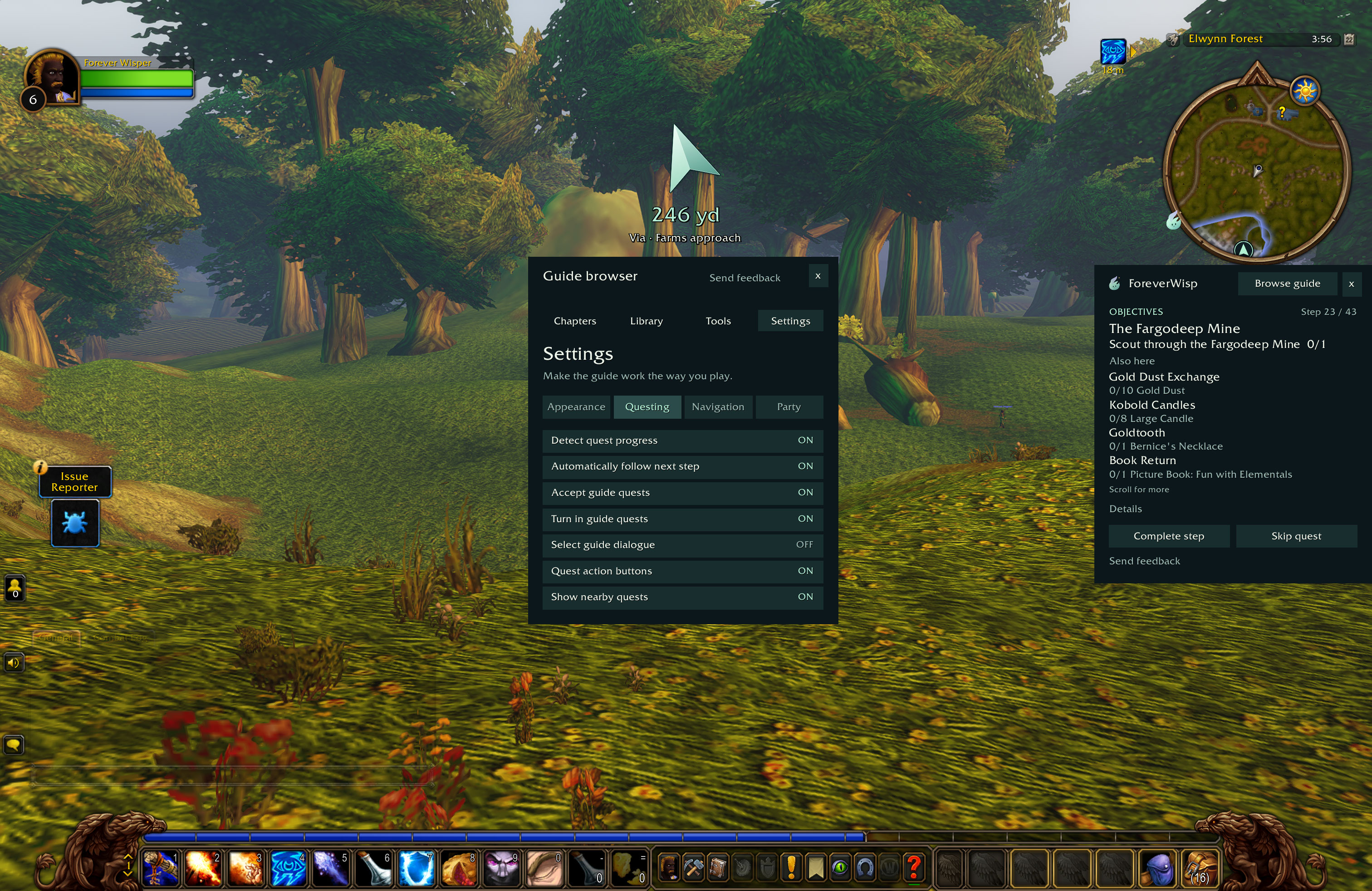
06
Choose what Wisp handles
Control quest acceptance, turn-ins, progress tracking and nearby objectives. You still choose quest rewards yourself.
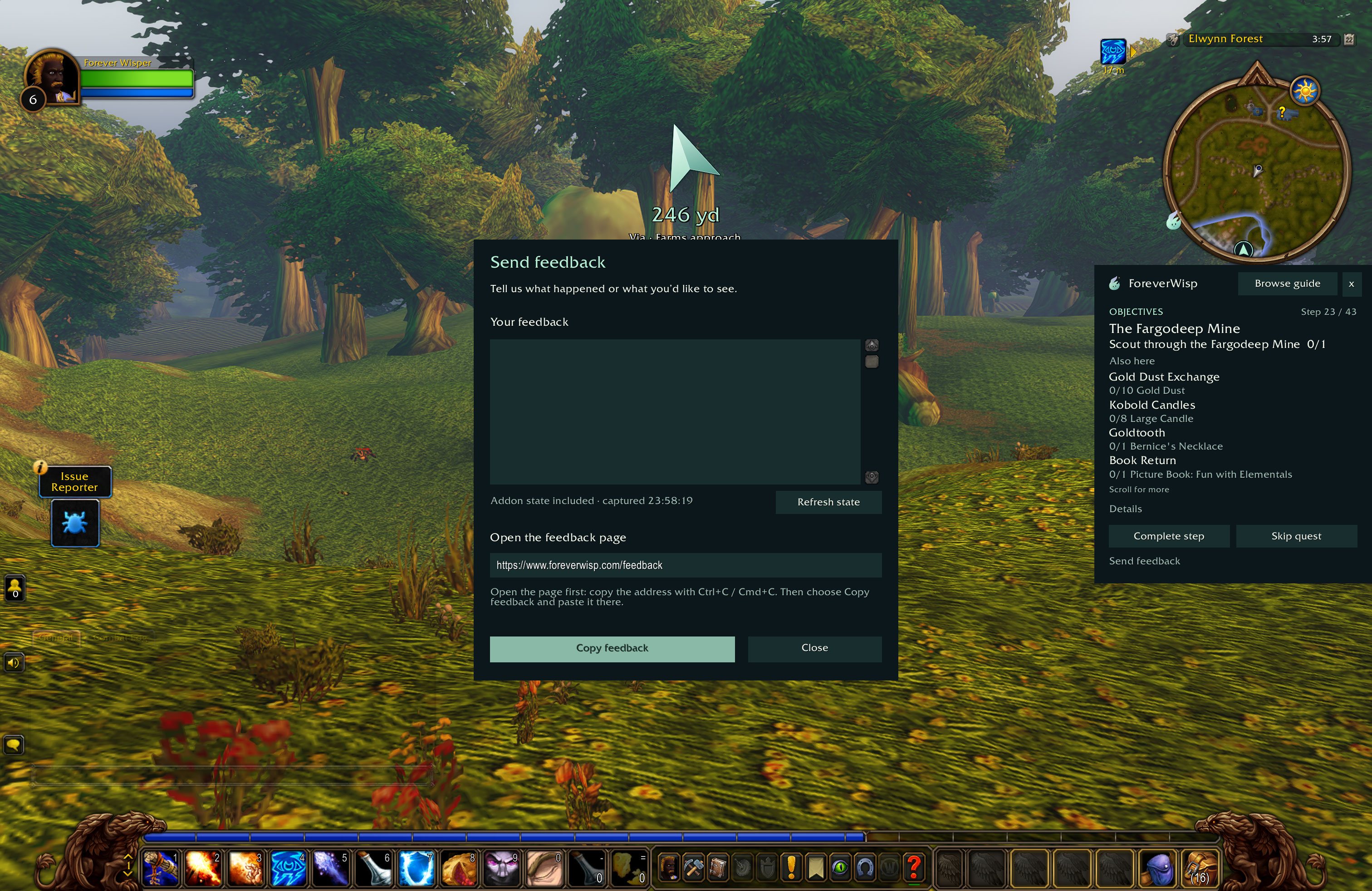
07
Tell us what needs work
Choose Send feedback in the addon. Write your message, then copy the report to the feedback page linked in the panel.
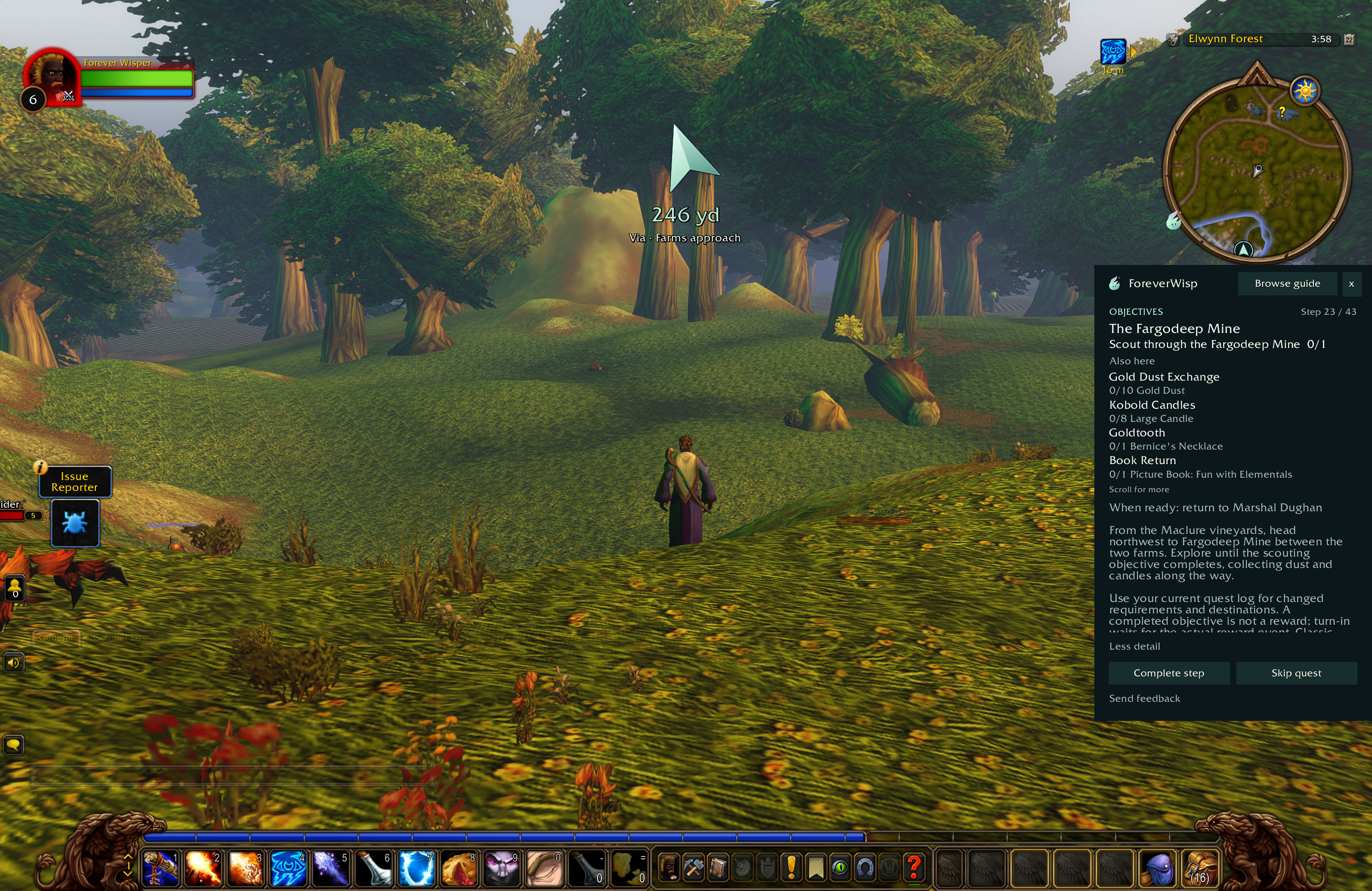
08
Open the written directions
Expand Details for directions, context and your return destination. Collapse them again to keep the panel compact.