WRITTEN ARTICLE · QUEST NAVIGATION
WoW Forever quest markers: how to enable the yellow diamond
Enable WoW Forever’s in-world quest objective marker with one command. See what the yellow diamond does and what to check when it points somewhere unexpected.
How to turn on the quest objective marker
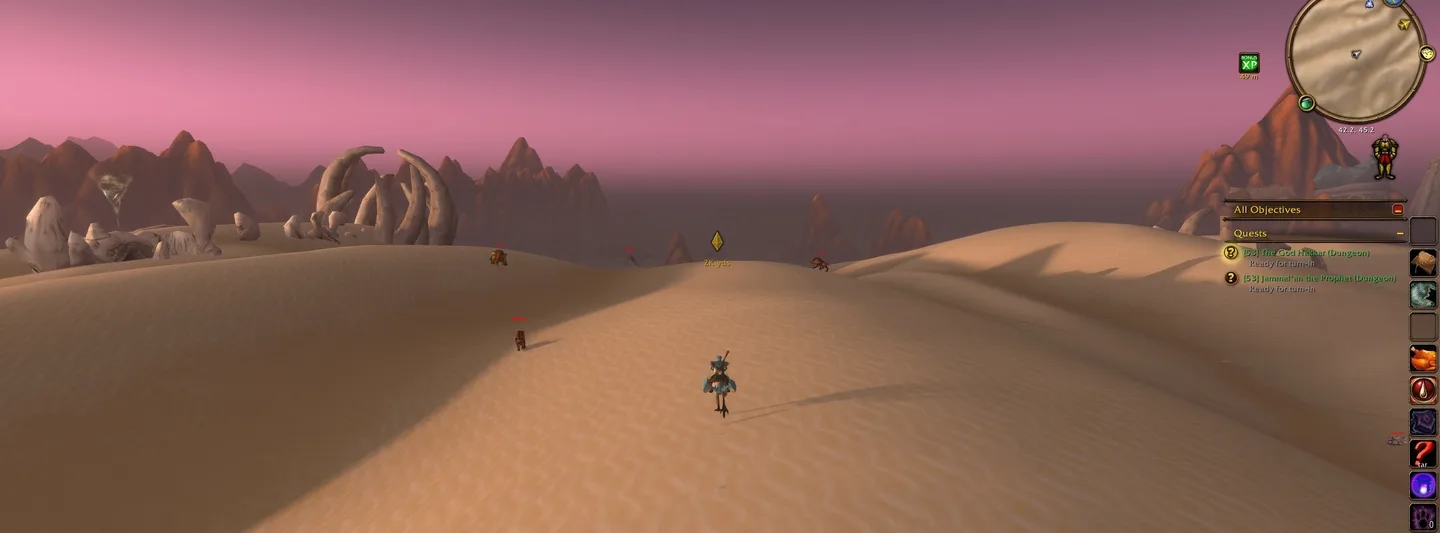
WoW Forever can show a yellow diamond in the world for your selected quest. Wowhead has highlighted a console setting that enables it, giving you a visible destination without repeatedly opening the map.
Press Enter to open chat, paste the command below and press Enter again. Select the quest you want to follow, then look for its marker in the world.
/console showInGameNavigation 1
In this article
World of Warcraft imagery © Blizzard Entertainment. Published by Wowhead.
What the yellow diamond tells you
The marker identifies a destination for the selected quest. Wowhead demonstrates it with a turn-in and a specific objective location. A distance label helps you judge how far away the destination is.
It can also make a height difference easier to notice than a flat map pin. A marker above your character is a reason to look for stairs, a ramp or a different entrance before spending more time searching the ground.
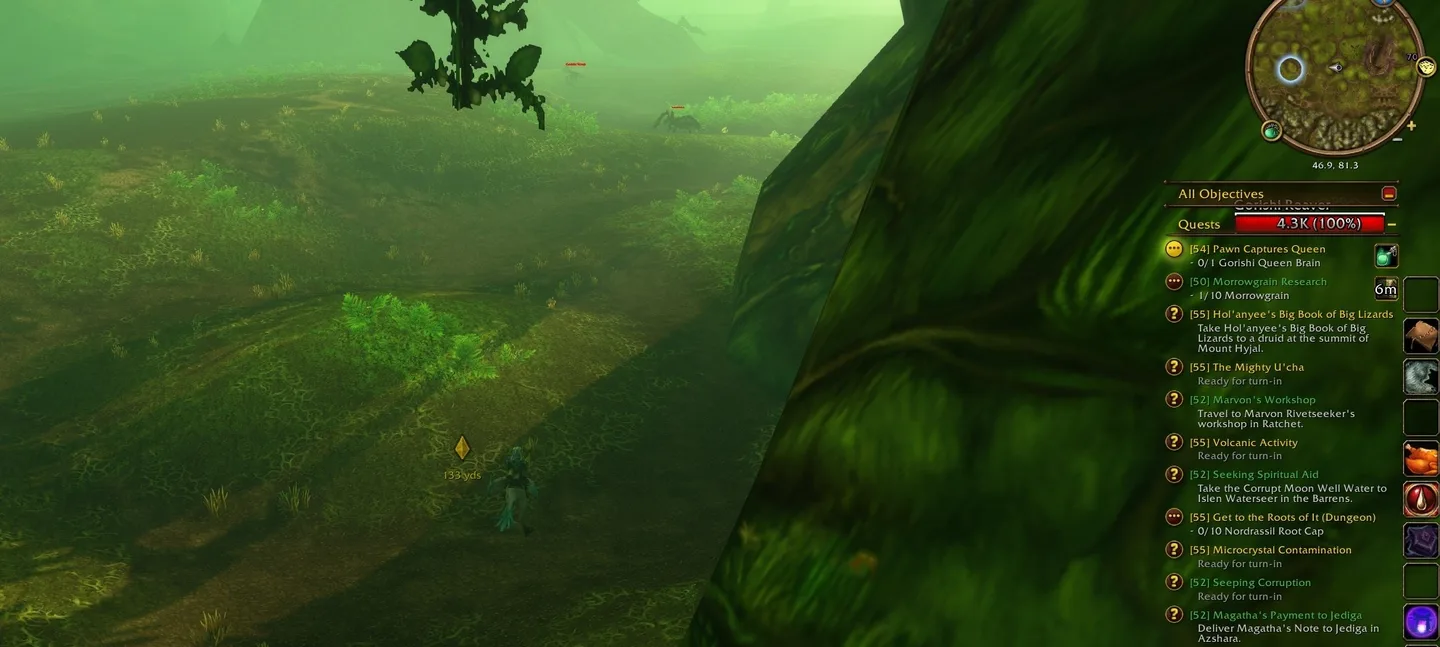
World of Warcraft imagery © Blizzard Entertainment. Published by Wowhead.
If the marker seems to be pointing to the wrong place
Our first check would be the selected quest and its current objective. After a hand-in or another quest selection, make sure the destination you are following is still the one you intended.
Next, compare it with the quest text and map. A destination marker is not a promise that the straight line between you and it is walkable. Cliffs, buildings and dungeon entrances still need a sensible approach.
If you cannot reproduce the example with a particular quest, try a straightforward turn-in before changing other settings. That separates a problem with one objective from a setting that has not taken effect. These are troubleshooting suggestions, not a confirmed fix for every missing marker.
Does this replace a written leveling route?
It answers where your selected objective is. Choosing which quests to do together, when to return to town and whether a dungeon fits your evening are different decisions.
For players who like deciding their own route, the built-in marker may be all the extra navigation help they want. If you use a written guide, treat it as a way to follow the current destination while the guide gives you the wider sequence.
Related reading and guides
Sources and review notes
Checked November 19 against Wowhead’s demonstration. This enables an existing client feature. It is not a newly announced patch change or a ForeverWisp playtest.