WRITTEN ARTICLE · THE GREAT OUTDOORS QUEST HELP
WoW Forever The Great Outdoors: campfire steps and the sit workaround
Stuck on Sit near the campfire in The Great Outdoors? Follow the campfire sequence, try the reported /sit workaround and check Wisp’s updated quest instructions.
Try /sit again while you are already seated
If The Great Outdoors will not register sitting beside the campfire, try typing /sit while your character is already seated. PC Gamer’s November 5 guide reports that this works for some players. Wisp 1.3.2 also adds the tip to the quest step in every 1–20 guide.
Treat it as a workaround to try, not a guaranteed server fix. We have not independently played through the updated step for this article.
In this article
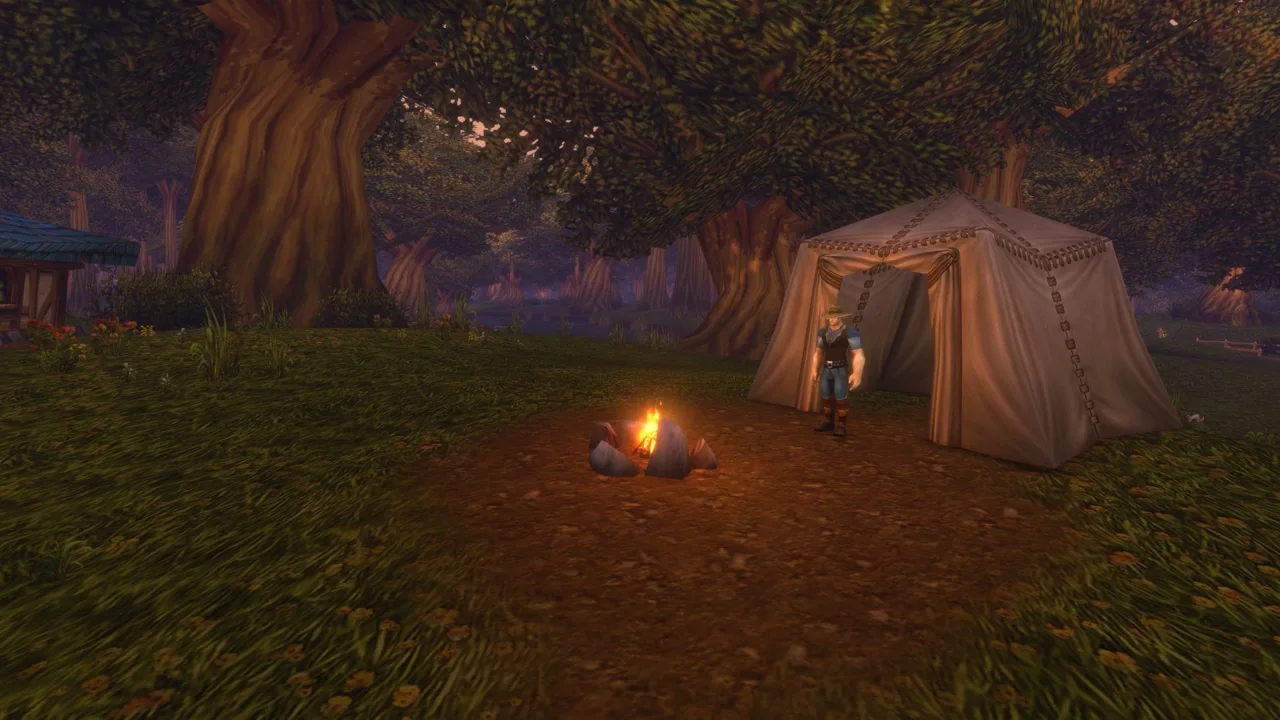
Image © Blizzard Entertainment.
The campfire sequence
- With the quest active, sit beside its campfire. PC Gamer describes X as the default sit key, so check your binding if you have changed it.
- Look for Welcoming Campfire and its 60-second countdown.
- Wait for the countdown to finish and check the quest objective.
- If the first sitting objective does not register, try the /sit command again while seated.
If that still does not work
Check the objective in the game’s quest log as well as your addon panel. If neither changes, forcing the guide to say Complete will not grant the quest credit.
Our suggestion is to record which part failed: sitting, the countdown appearing, or the objective updating afterwards. Include the quest name and what the log says in a bug report. A screenshot of those details is more useful than a report that only says the guide is stuck.
You can return later if it remains blocked. Keep a note of the unfinished quest so you do not lose track of it while continuing other work.
Update Wisp to see the tip in your guide
Wisp 1.3.2 changes the campfire instructions rather than the quest order. The release notes say existing progress carries over. Keep your WTF folder and SavedVariables when updating.
An addon text update cannot repair a server-side quest. Its job here is to put the useful instruction beside the step so you do not need to leave the game to look it up again.
Continue from the quest you actually completed
Before moving on, check the final state in your quest log and any follow-up offered by the NPC. Do not infer completion simply because your character has been sitting for a while.
Our broader Camping article covers the profession system and its earlier beta findings. This page focuses on the launch-day quest problem, so you can get back to your route without reading through a full profession overview.
Related reading and guides
Sources and review notes
- PC Gamer: The Great Outdoors and the reported sit workaround, November 5
- ForeverWisp release notes: 1.3.2 campfire guidance
Written November 5 from PC Gamer’s launch-day report and Wisp 1.3.2 release notes. The /sit workaround is reported to help some players. The release’s changed instructions have not been independently played through for this article.