
HELP · WISP APPEARANCE AND READABILITY
Parchment theme and appearance settings
Choose Wisp’s new Parchment theme, find the settings cog and adjust readability without losing your place in a WoW Forever leveling guide.
A guide you can read comfortably
Wisp 1.4.0 adds Parchment, a light theme with dark text and a quest-book feel. If a dark panel feels out of place on your screen, you now have another way to keep your next step nearby.
You can change how the addon looks while keeping the guide and progress you already have. Start with the theme, then adjust only what is getting in the way.
On this page
How to turn on Parchment
Open the cog on the Wisp panel, then choose Settings > Appearance & layout > Theme > Parchment. If you have not selected a guide yet, the cog opens Find guides. Use the Settings tab in that window.
Theme changes apply without a reload during normal play. A change held back by combat restrictions waits until combat ends. You can return to the theme you used before without restarting your guide.
If the panel is hard to read
Try this while standing somewhere quiet, with a quest instruction visible. Read the whole instruction before deciding whether the change helped.
- Choose a text size you can read at your normal sitting distance.
- If scenery or another tracker shows through the panel, increase background opacity. At 100%, the panel is opaque.
- If Blizzard’s quest tracker sits behind Wisp, use Hide Blizzard quest tracker or move the windows apart.
- Try High contrast if the text still blends into the panel. On Parchment it brightens the paper and darkens the ink.
- Check the layout in both a bright outdoor area and a dark interior before shrinking it further.
Where did the Guide button go?
In 1.4.0 the panel header uses a settings cog. My guide, Find guides and Character are still available as tabs in the same window. Feedback is under Settings > Help and at the top of the browser.
The footer now shows your Wisp version. That is useful when reporting an issue or checking whether you have an older copy installed. The gold update notice depends on newer versions being reported by other players, so its absence is not proof that you have the latest release.
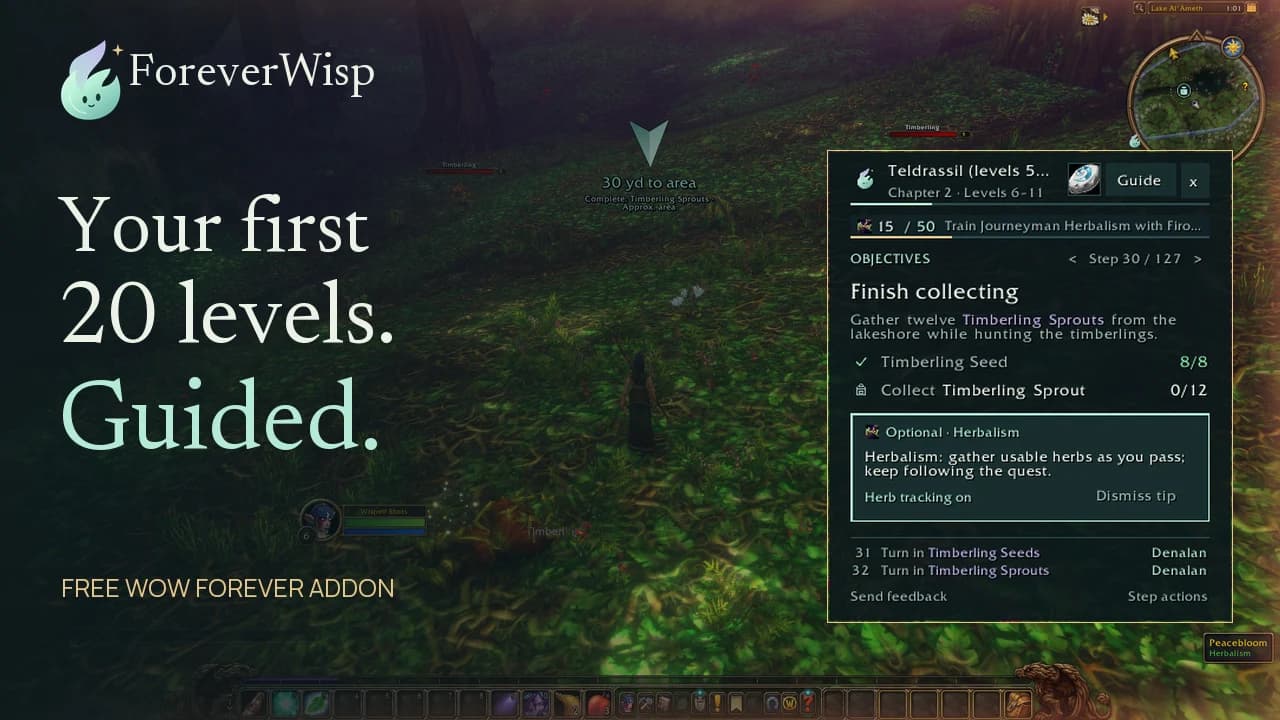
See how the guide fits into questing
This overview shows the guide, navigation and optional detours. It was recorded before the new light theme, so use it to see the workflow rather than as a Parchment preview.
Keep your place when you update
Follow the installation guide when replacing the addon. Keep your WTF folder and SavedVariables so your settings and progress carry over. Changing the theme is not a reason to reset the guide.
The release record includes an in-game check of Parchment, the cog, logo and badges. High contrast and every navigation colour on the light theme have not all been checked in game. If something is difficult to read, send the theme, setting and a screenshot through Help.
Related reading and guides
Sources and review notes
Based on Wisp 1.4.0 release records and appearance documentation, reviewed November 6. The overview video predates Parchment. Readability suggestions are practical setup advice.