
A place to plan your character
Your next level brings another choice. Wisp’s new talent helper keeps those choices alongside your levelling guide, with room to look ahead and make the build your own.
Update Wisp and open the new Talents tab to explore recommended builds, see your next point or create a personal plan. You can get started before your first talent point or join with the talents you already have.
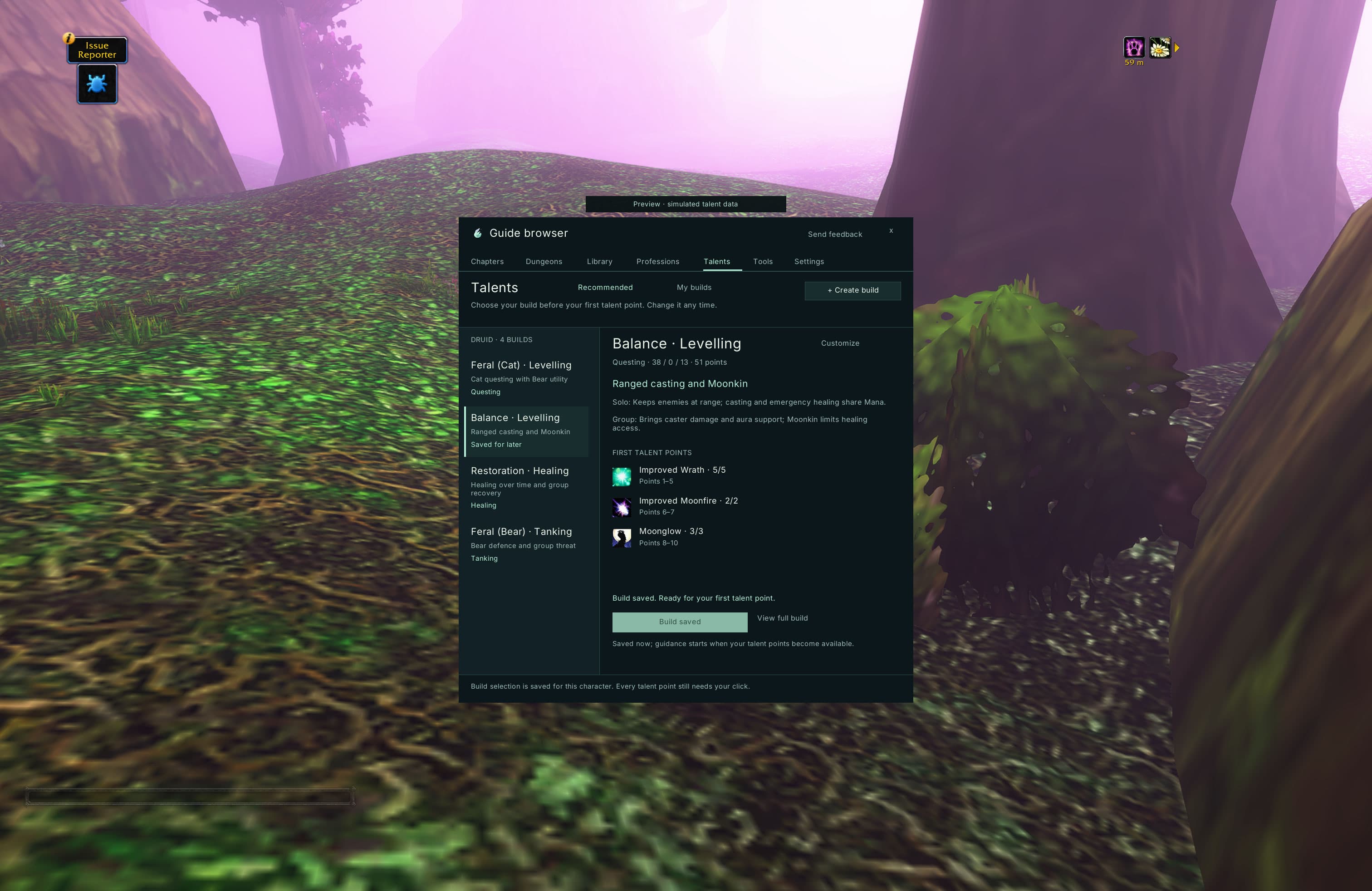
Choose a direction before your first point
The Talents tab is available from the start. Browse your class’s builds, inspect the full talent trees and save a choice before you have any points to spend.
Wisp includes 28 recommended starting points across all nine classes and every specialisation, with separate Cat and Bear paths for Druids. Each build explains its intended playstyle, requirements and tradeoffs, so a healer, tank or ranged Druid has a clear choice alongside the other paths.
Open Full build to see the finished allocation across all three trees, or Build path to see the order one point at a time. Previewing another build leaves your followed choice in place.
Keep your next talent close at hand
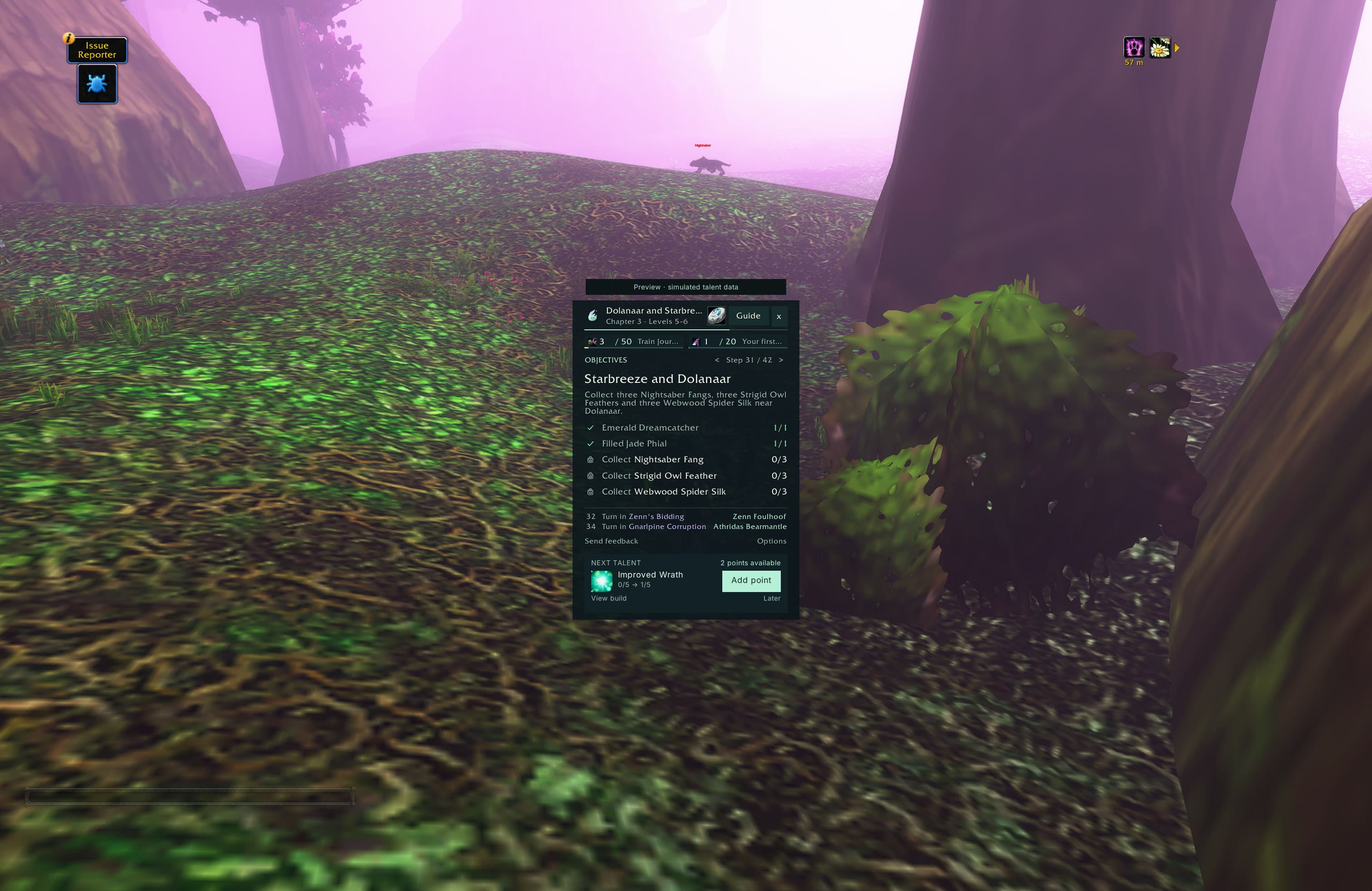
When a point is ready, a compact card beside your quest instructions shows the next talent, its icon and the rank you are working towards. View build opens the wider plan whenever you want more context.
On a supported, matching talent setup, Add point spends exactly one recommended rank when you click it. Wisp checks the current talents and available points again, then waits for the game to confirm the change. Another banked point needs another click; points are never spent automatically.
If a point cannot be added from the card, Open talents takes you to the game’s talent window. You can also dismiss the reminder with Later and keep questing.
Already have talents? Start from where you are
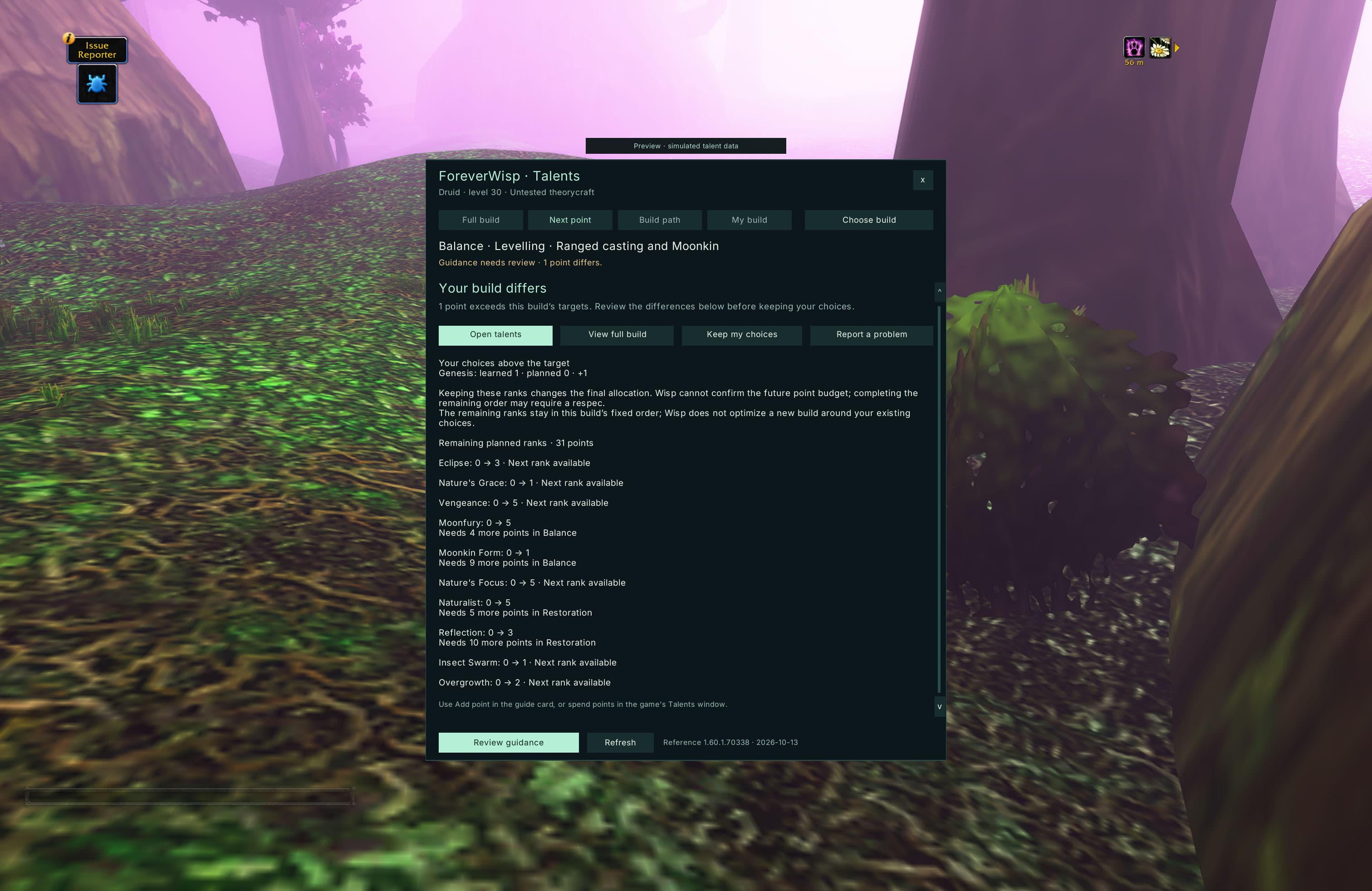
You do not need a fresh character to use the helper. Wisp compares the talents you have learned with each build, showing matching points, choices outside the plan and targets still to reach.
Following a compatible build skips ranks you already know and continues from the first missing one. If your choices differ, Wisp shows those differences before you continue. Keep my choices lets you retain them and follow the remaining order where the game allows it.
A close match describes your current allocation, not how well a build will perform. Keeping extra talents may also leave too few points to finish the original target. Wisp never refunds ranks or changes your build without your choice.
Make a build of your own
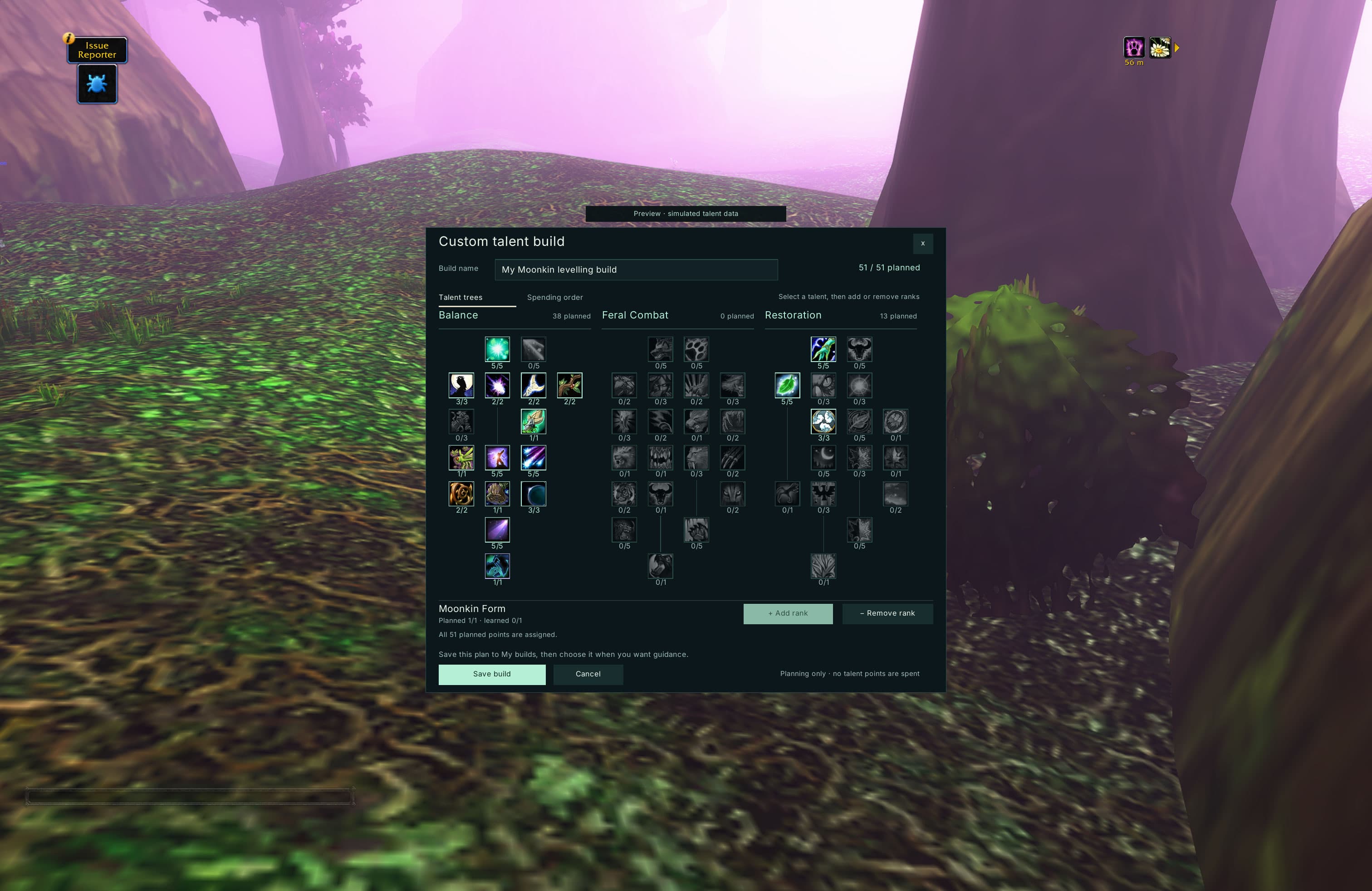
Open Talents → + Create build to start empty, copy a recommendation or use your current learned talents as a starting point. Give it a name and edit all three trees, with learned and planned ranks visible as you work.
The editor checks rank limits, prerequisites, tree requirements and the planning point limit. You can save a shorter plan for your next few levels or work towards a full build. Editing your plan does not spend any points or change the recommendation you copied.
Decide what comes next
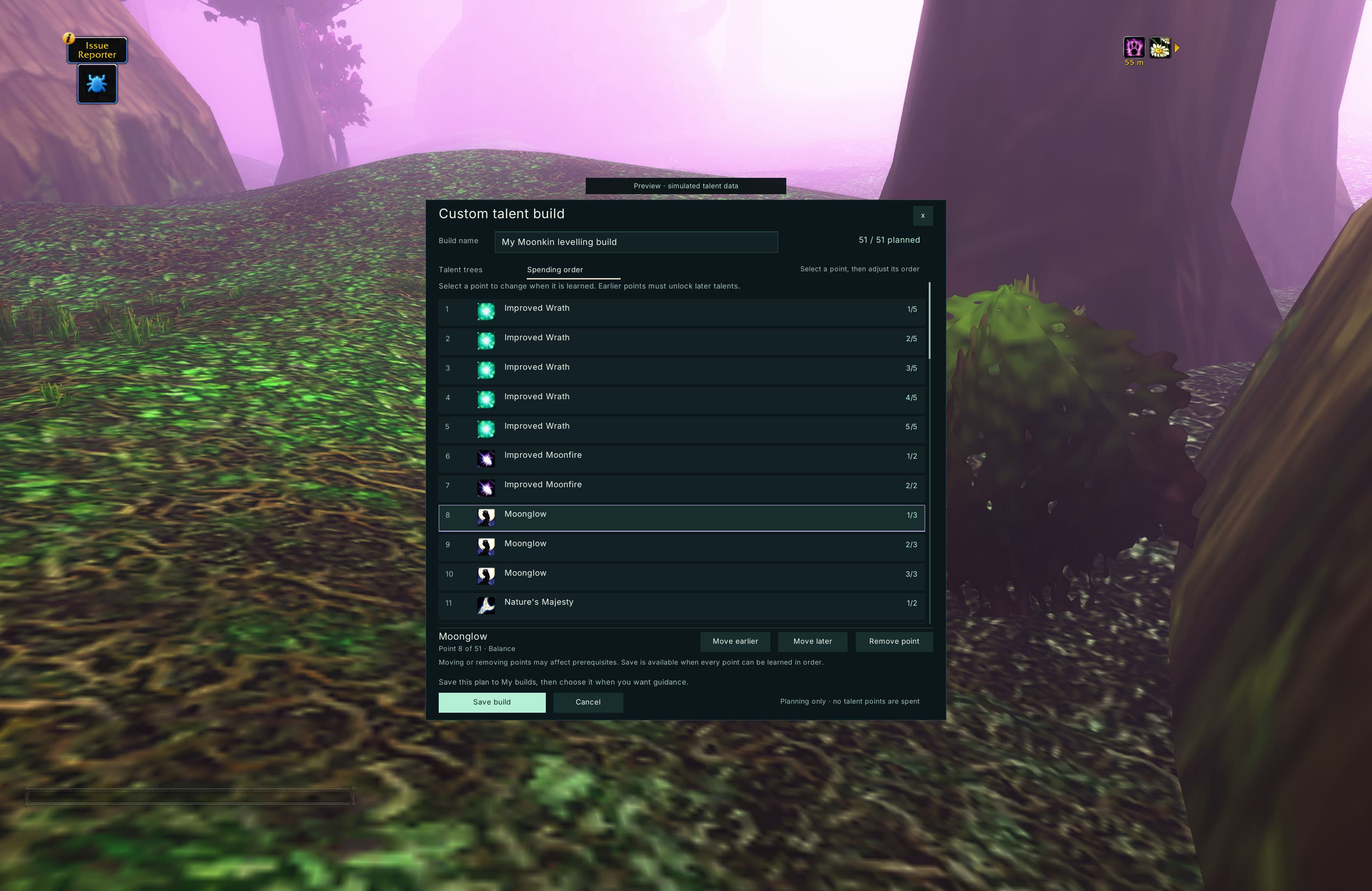
The Spending order view lets you move individual points earlier or later and remove choices you no longer want. Wisp flags an order that would reach a talent before its requirements are met.
Save the plan to My builds, then choose it for guidance. Your custom plan uses the same next-point reminders and single-point action as a recommendation, and stops when its final target is reached. Saved builds belong to the character you created them for.
Still a beta
The recommended builds are labelled Untested theorycraft. They are starting points to explore, not claims of the best or most powerful setup, and full gameplay testing is still ahead.
Live guidance currently needs a matching English WoW Forever client. When the game’s talent data cannot be matched, Wisp keeps your saved choice and explains why guidance is unavailable. Use Send feedback in Wisp if a talent or recommendation does not match what you find in game.
The screenshots show the real Wisp interface rendered in WoW with simulated talent data. They demonstrate the screens and controls; they do not verify native point purchases or build performance in gameplay.