WRITTEN ARTICLE · HD MODEL COMPARISON
WoW Forever HD models: how to switch, with beta comparisons
See Human and Orc models with High-Definition Models on and off in the Forever beta, and find the character-creation checkbox in our screenshots.
Where is the High-Definition Models setting?
On the character-creation screen shown here, look at the bottom right, directly above the Preview or Customize button. The checkbox is labelled High-Definition Models. The checked captures show the updated model; the unchecked captures show the older model style.
Select the race and compare the preview with the checkbox on and off. Our captures cover Human and Orc Warriors. They do not establish the behaviour of every race, an in-world settings-menu path, or whether the choice persists between sessions.
In this article
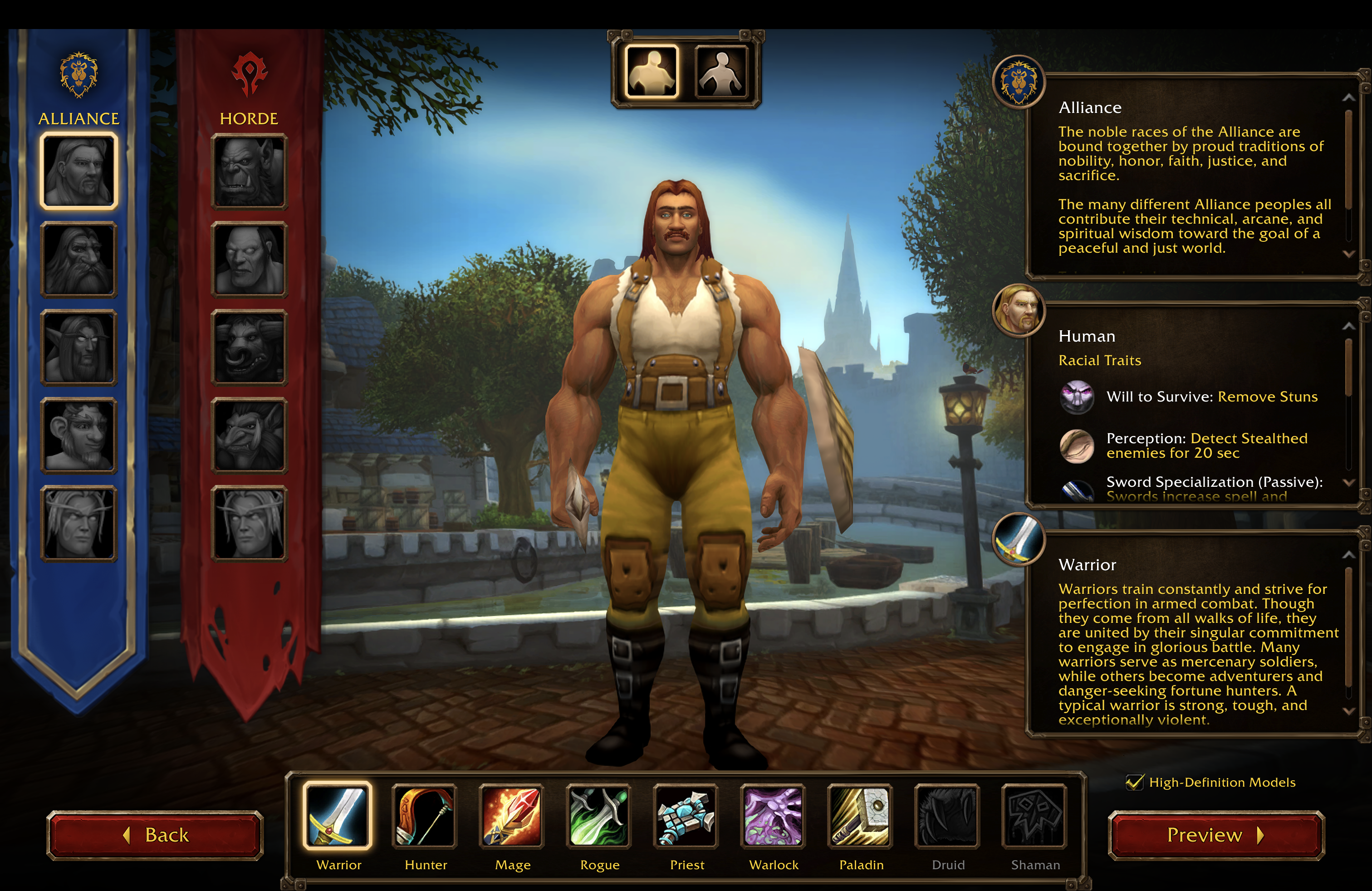
ForeverWisp beta capture, 18 September 2026. Game imagery © Blizzard Entertainment.
Human comparison: high-definition off
Compare this unchecked Human preview with the checked image above. The older model has a more angular face, hands and clothing silhouette. The checked version shows more rounded facial shapes and additional visible detail around the arms and clothing.
These are separate captures of the preview, so small differences in pose can reflect its animation. They are a visual comparison, not a controlled benchmark.
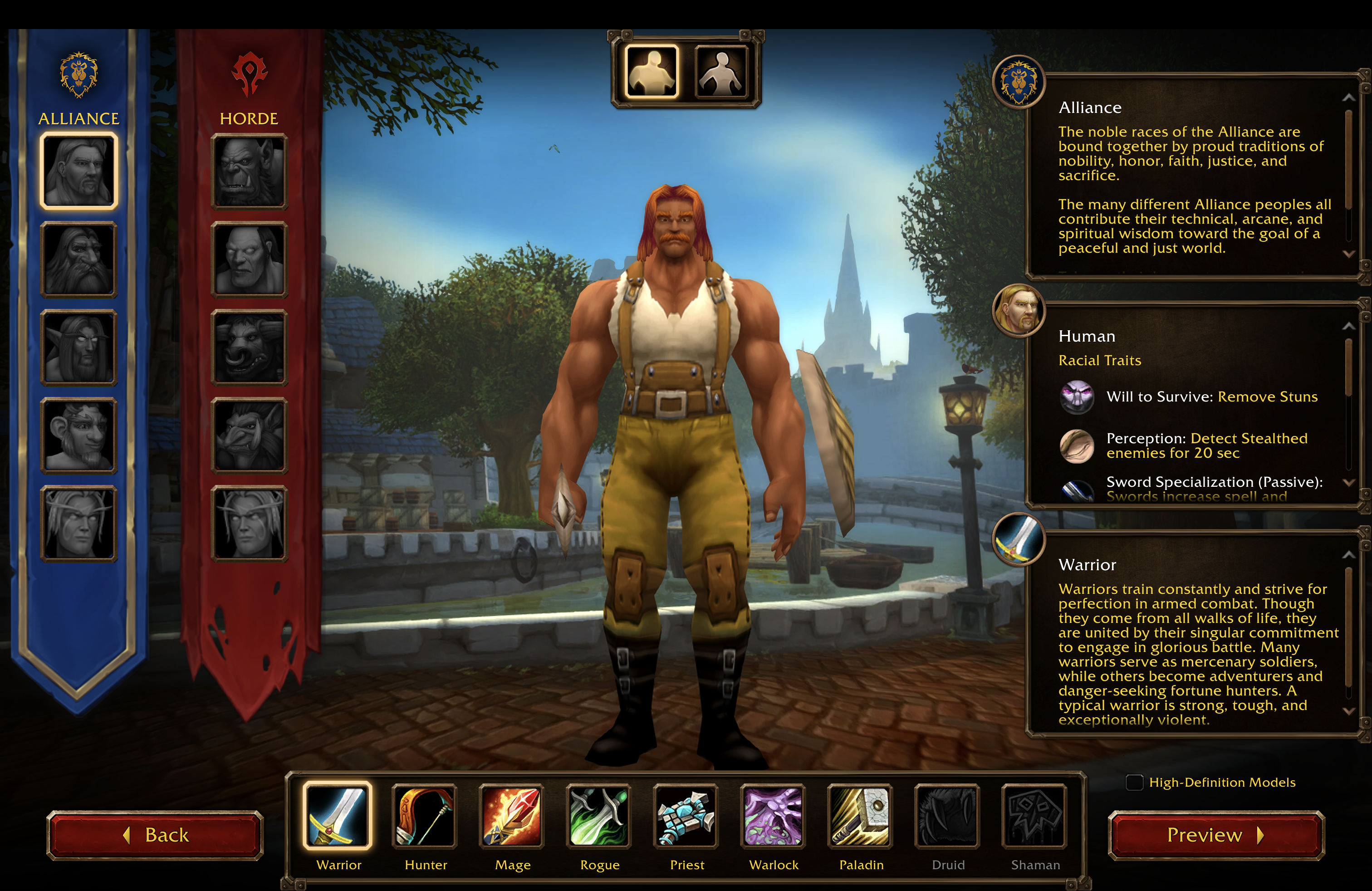
ForeverWisp beta capture, 18 September 2026. Game imagery © Blizzard Entertainment.
Orc comparison: high-definition off
The unchecked Orc capture provides the second comparison. The face, fingers and beard give useful reference points when comparing it with the enabled image below.
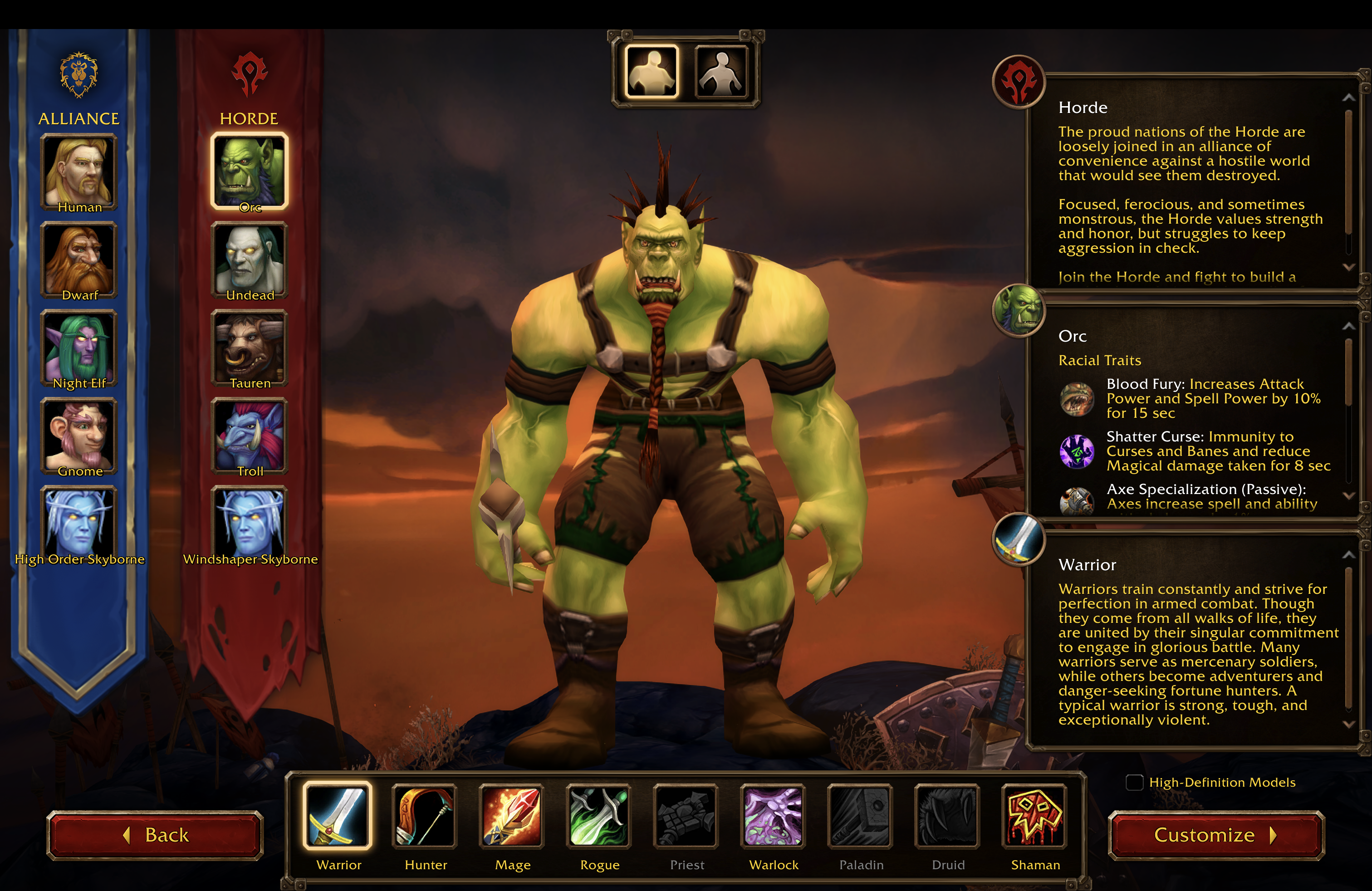
ForeverWisp beta capture, 18 September 2026. Game imagery © Blizzard Entertainment.
Orc comparison: high-definition on
With the checkbox enabled, the Orc preview shows a more detailed face, beard and hands. Use the appearance you prefer; these screenshots do not establish a gameplay benefit for either choice.
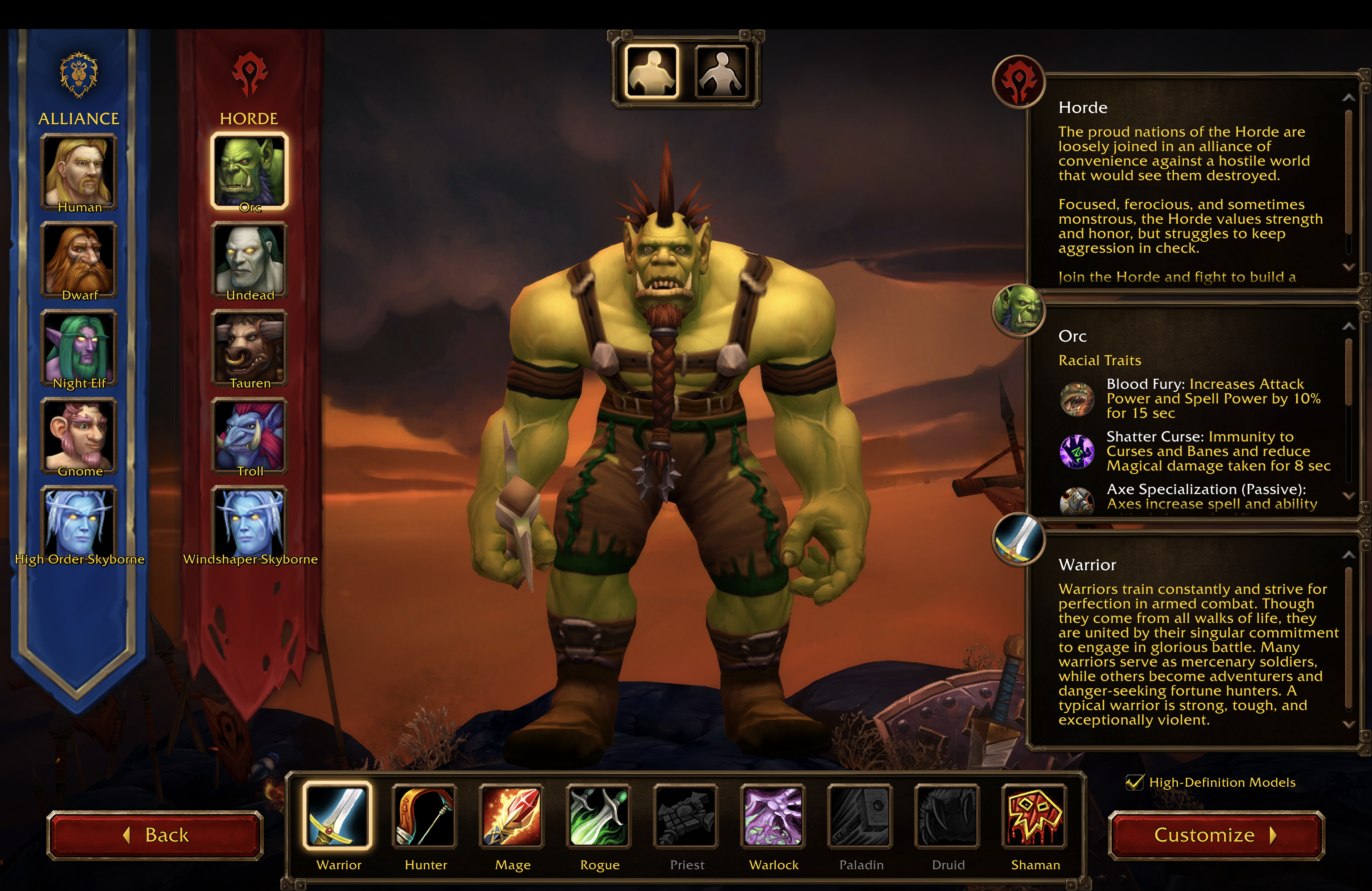
ForeverWisp beta capture, 18 September 2026. Game imagery © Blizzard Entertainment.
Is this the same as disabling transmog?
No. The screenshots show a character-model option. They do not show the transmog NPC or its controls. Transmog changes equipment appearances; this comparison concerns the character model underneath them. Follow our separate transmog article for the sourced opt-out announcement. We have not yet documented that menu in beta.
Will older models improve FPS?
We have no measured FPS comparison from these captures, so we cannot promise a performance improvement. They also do not document the effect on other players or NPCs.
For a useful test, compare the same location, camera view and graphics settings, record the client build, and repeat each setting. A character-creation screenshot alone cannot demonstrate how the game performs in a busy zone.
Related reading and guides
Sources and review notes
Original beta captures supplied on 18 September 2026. The client build is not visible. These images demonstrate the character-creation setting and two model comparisons, not performance measurements or transmog controls.