WRITTEN ARTICLE · MAPS AND NAVIGATION
WoW Forever world map: find trainers, dungeons and share locations
Use Wowhead’s new Forever world map to explore zones, filter trainers and dungeons, and share locations with friends before your next levelling session.
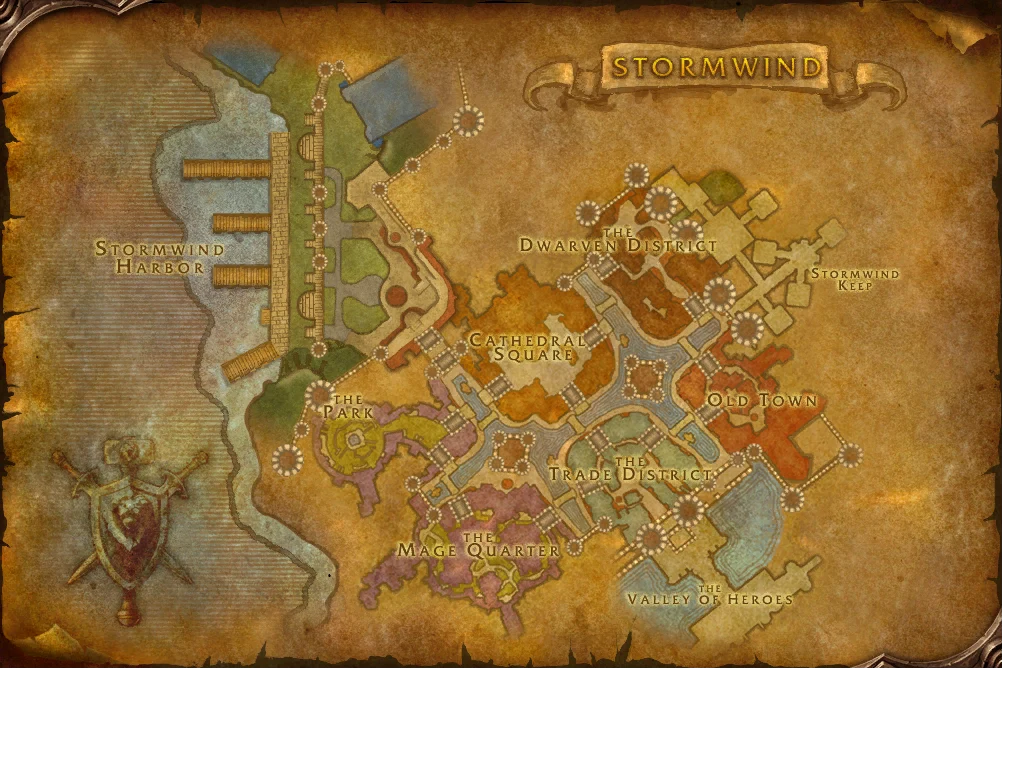
Game artwork © Blizzard Entertainment; datamined preview via Wowhead.
A map you can explore before logging in
Wowhead has launched an interactive world map for WoW Forever. Its September 20 announcement describes a zoomable world view with filters for zone names, dungeon locations, class trainers and rares. It gives you somewhere to look around even if you do not have beta access.
For a levelling session, start with one destination you actually need. Find the zone, zoom in and turn on the relevant marker category. Keeping the view focused makes it easier to spot the stop you came for.
How to share a location with your party
Wowhead says the page address updates as you move and zoom the map. Centre the place you want to share, copy the address from your browser and send that link to your friends. Give them the zone name and the reason for the stop as well.
For example, agree on a meeting place before a dungeon trip and share its map view. Everyone then has a common reference. A shared map link does not move characters, select a realm or guarantee that the party is on the same phase.
Use it to plan the stops around your quests
Our advice is to make a small plan for your next session rather than charting the entire journey to level 60. Look at where your next quests take you, then check whether a needed class trainer or a planned dungeon visit fits that trip.
For professions, keep a separate note of what you need to buy, train or craft. The map announcement specifically lists class trainers. It does not establish a complete profession-trainer or recipe-vendor directory, so check the particular NPC before making a long detour.
| Before you travel | What to check |
|---|---|
| Class training | The marker’s NPC and location, then the abilities and price in the client. |
| Dungeon trip | Meeting point, entrances and the quests your group has picked up. |
| Profession stop | A verified trainer or vendor and the materials you need. |
| A new zone | Current level access and the travel connection, not just its position on the map. |
A marker is a starting point for checking
A world map can show a place without proving that your beta character can reach it today. A visible dungeon is not evidence that its current test phase is open. A trainer marker does not tell you which ranks your character can afford or learn.
If you arrive and find something different, record the NPC name, zone and current client build before reporting it. That makes a correction more useful than a screenshot without context.
World map, quest helper or in-game guide?
Use the browser map when you want to explore or share a location. Use a quest helper when you need help identifying objectives in the game. An ordered guide serves another purpose: keeping your next step in front of you as you play.
Wisp’s supported guides bring together quest directions, navigation and authored profession stops. The addon page shows our own beta captures and explains current coverage. You can sign up there to receive the download link when it is ready.
Related reading and guides
Sources and review notes
- Wowhead: new Forever world map tool, 20 September
- Wowhead: interactive Forever world map
- Wowhead / iMX3: new and modified Forever world maps
Reviewed 21 September against Wowhead’s September 20 tool announcement. The illustrated Stormwind map is an earlier client-data preview, not a screenshot of the new interactive tool. We have not checked every map marker in the beta.