WRITTEN ARTICLE · BETA PHASING
WoW Forever world refresh: what the five-minute warning means
Seeing a world refresh warning in the Forever beta? Learn what Refresh Now and Okay do, with screenshots and advice for quests, gathering and group play.
The warning gives you time to move somewhere safe
The world refresh message warns that your character is about to move to another copy of the outdoor world. Wowhead’s September 19 report explains the five-minute notice and the option to make that move sooner. It is a phasing notice, not an instruction to reinstall the game or reset your addon.
The copy you enter can have different creatures, players and gathering nodes around you. A place you just cleared might be occupied again. Finish what you can safely finish, then leave the middle of a pull before using the button.
In this article
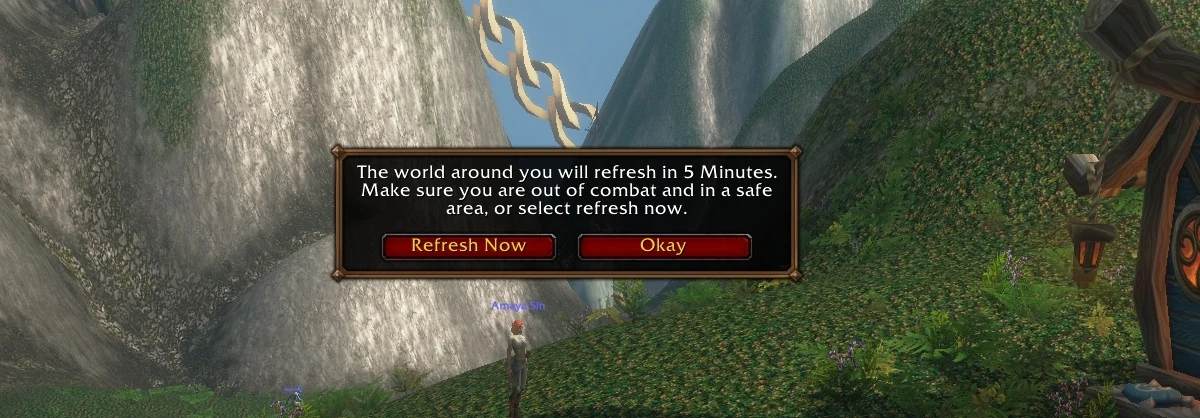
Beta screenshot via Wowhead / Squishei. Game © Blizzard Entertainment.
Refresh Now and Okay do different things
The published beta walkthrough describes the controls below. Hiding the message does not cancel the pending refresh.
| Control | What it does |
|---|---|
| Refresh Now | Starts the phase change early. Reach a safe place before selecting it. |
| Okay | Closes the large notice while the countdown continues. |
| Small arrow near chat | Reopens the notice so you can use Refresh Now when ready. |
Where to find the reminder on screen
Our September 18 Northshire capture shows the small refresh reminder on the left, above chat. Wisp’s guide panel is on the right. Seeing both together is useful when identifying which part of the interface is asking you to do something.
The reminder belongs to the game. Wisp supplies the guide step and navigation shown here. The image does not show Wisp controlling a phase change.
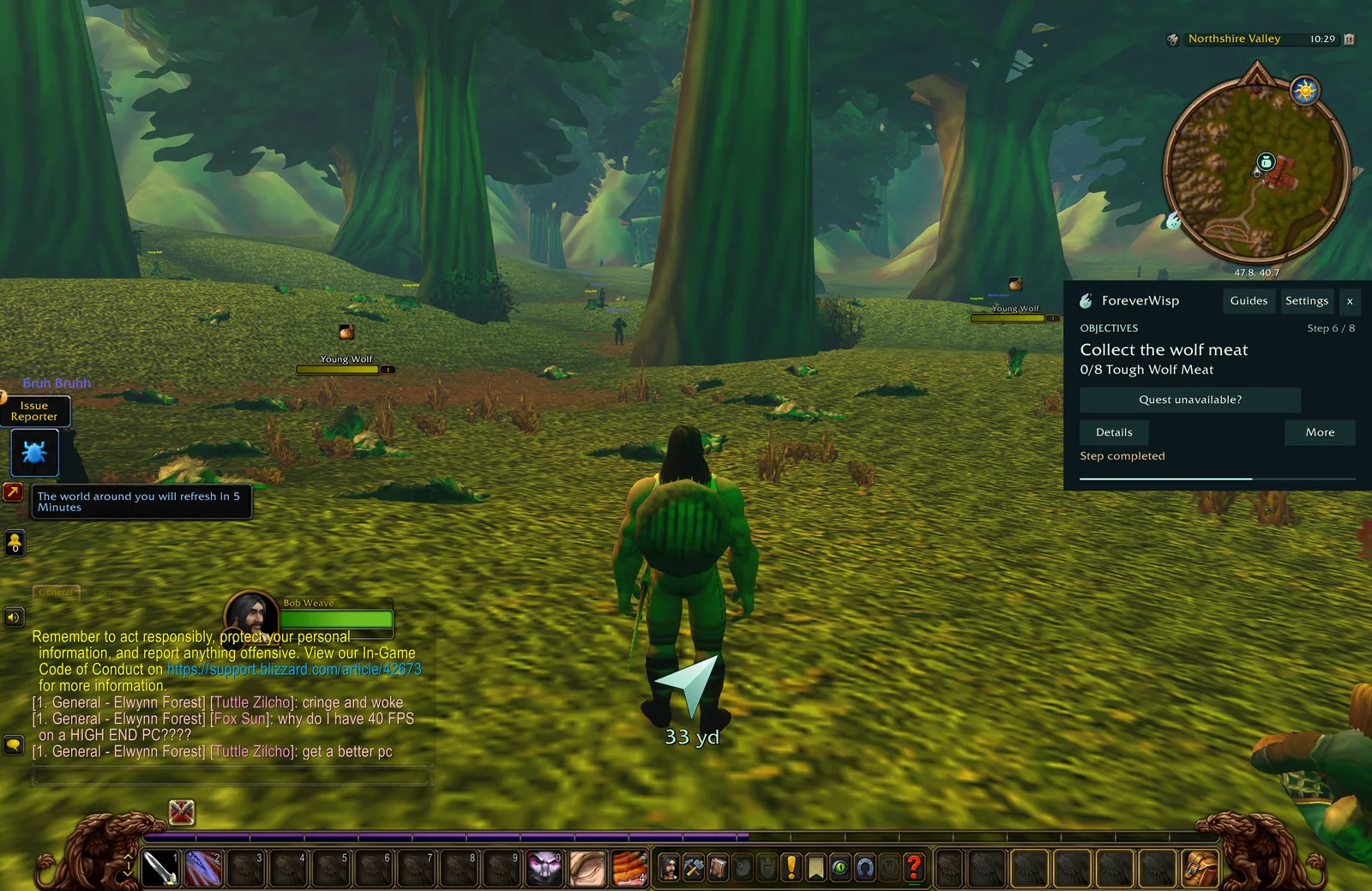
ForeverWisp beta screenshot. Game © Blizzard Entertainment.
Keep your next quest or gathering stop simple
Our advice is to use the warning as a short break in your route. Avoid starting a cave pull or chasing one last herb while the timer is nearly finished. Pick a place with a clear view, let the transition happen and look around before moving again.
Afterwards, check the objective in your quest log before abandoning or repeating anything. If a guide is still pointing at your next destination, compare that instruction with the world now in front of you. A change in nearby spawns does not by itself mean the guide has lost your progress.
Let your party know before you refresh
If you are questing with friends, tell them when the notice appears and agree on a place to stop. After the refresh, check that you can see each other before anyone starts the next fight. We have not tested whether every party member receives the same timer.
Wisp’s optional party progress sharing helps with guide progress. It does not choose a server layer, cancel this warning or move another player between phases. Keep those jobs separate when troubleshooting a group that cannot see one another.
Related reading and guides
Sources and review notes
- Wowhead / Squishei: new phasing notification, 19 September
- ForeverWisp: original Northshire beta screenshots, 18 September
Checked 20 September 2026 after Wowhead’s September 19 explanation. Our Northshire screenshot was captured on September 18. It shows the warning, not a recorded transition or a test of group behaviour.