WRITTEN ARTICLE · CRAFTING ALONGSIDE YOUR ROUTE
WoW Forever professions: track recipes while you level
Keep your next craft in sight while questing. A practical WoW Forever guide to recipe tracking, profession filters and sharing your crafting book.
Pick the next thing you want to make
A useful profession goal can be small. Make a meal for the next quest loop, replace an old piece of gear or prepare something for a friend. Choosing one craft gives the materials in your bags a purpose without turning the whole evening into a shopping trip.
WoW Forever’s profession window includes recipe tracking, filters and a way to share your crafting book. Wowhead covered these controls on September 25. Here is how to work them into an ordinary leveling session.
In this article
Game screenshot © Blizzard Entertainment. Image via Wowhead.
How to track a recipe in WoW Forever
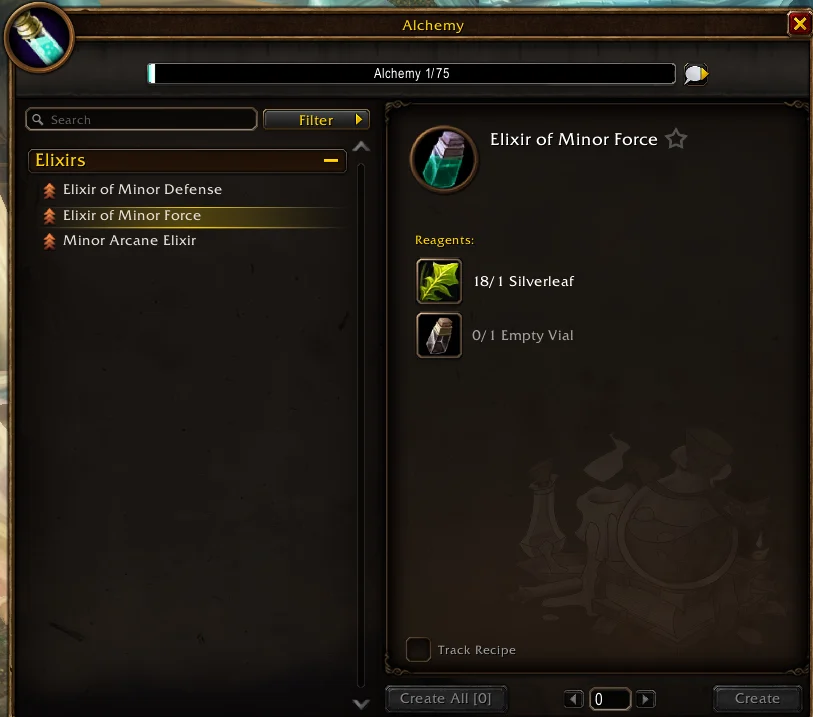
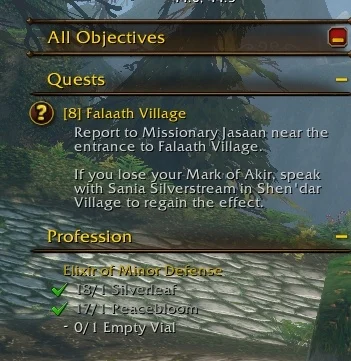
Open your profession window, select a recipe and tick Track Recipe near Create All. Its required materials appear in the tracker on the right of the screen.
Before leaving town, compare that list with what you already carry. Decide which missing ingredients you will buy, collect on the way or leave for later. Keep the goal realistic for the time you have. A nearby stop is easier to fit in than a trip to another region for one reagent.
Game screenshot © Blizzard Entertainment. Image via Wowhead.
Use the filter that matches your goal
The profession window offers these filters and a search box.
| Control | What it helps you find |
|---|---|
| Has skill up | Recipes that can improve your profession skill |
| Have materials | Recipes you have the ingredients to craft |
| Slots | Items for a particular equipment slot |
| Search | A recipe by name |
Craft for the trip you are actually taking
Our suggestion is to start with what you can make, then ask whether you want the result. An item that uses your existing materials may be convenient, but it is still worth comparing it with your equipment or supplies before making a batch.
If your aim is profession skill, set a small spending limit before visiting the Auction House. Compare the cost of missing ingredients with the finished item. Prices change, and a possible skill gain is not a reason to spend all your travel and training money.
For consumables, make enough for the next outing first. You can always craft more on your return. This leaves bag space for quest items and gives you a chance to see whether you actually use what you made.
Show a friend what you can craft
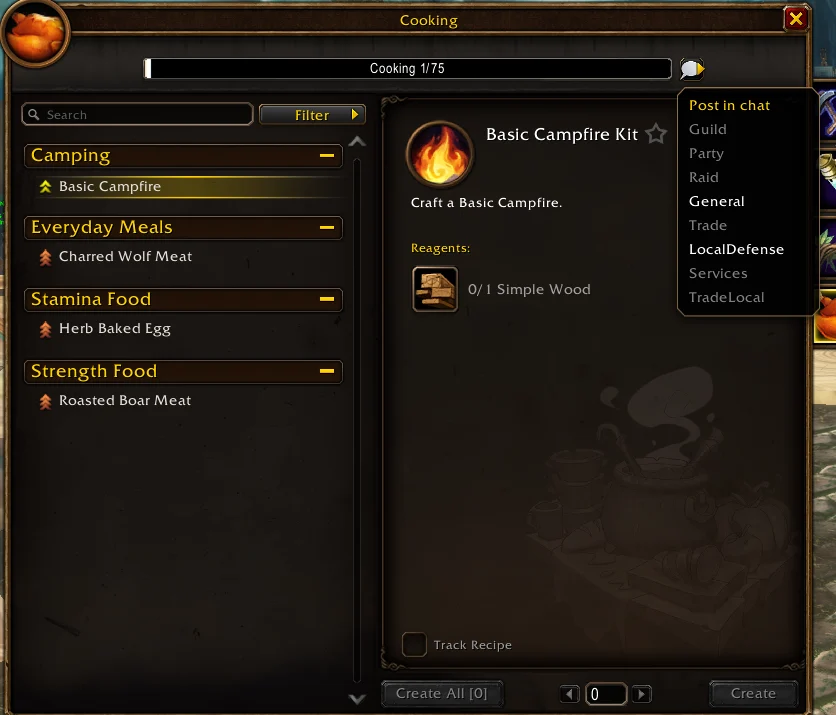
Use the chat bubble beside the profession skill bar to choose a chat channel and share your profession book. The link lets another player inspect your skill and recipes.
Agree on the exact item and materials before arranging a crafting stop. For a group of friends, choose a return to town that already suits everyone. That makes it easier to combine crafting with selling, repairs and the next round of quests.
Game screenshot © Blizzard Entertainment. Image via Wowhead.
Keep crafting and questing in the same journey
Use a planned return to town as a reminder to check your supplies, then keep moving when your crafting work is done. Wisp’s free beta can help with your supported quest route and directions. Profession integration is still in development and is not included in the current beta download.
The controls described above belong to the game’s profession window. Recipe Registry, covered in our separate guide, adds a recipe collection and guild crafting directory. Wisp handles your supported quest route and directions. Choose the tools that help with what you want to do tonight.
Related reading and guides
Sources and review notes
Based on Wowhead’s September 25 profession interface report, checked on September 29. These are built-in beta features. We have not independently playtested the controls.